

Managed IT for manufacturing and industrial businesses
We manage the IT that supports production: ERP and MES access, networks across plants and warehouses, secure remote access for equipment vendors, and Microsoft 365, security and backup for office and floor staff.
$Managed IT cost calculator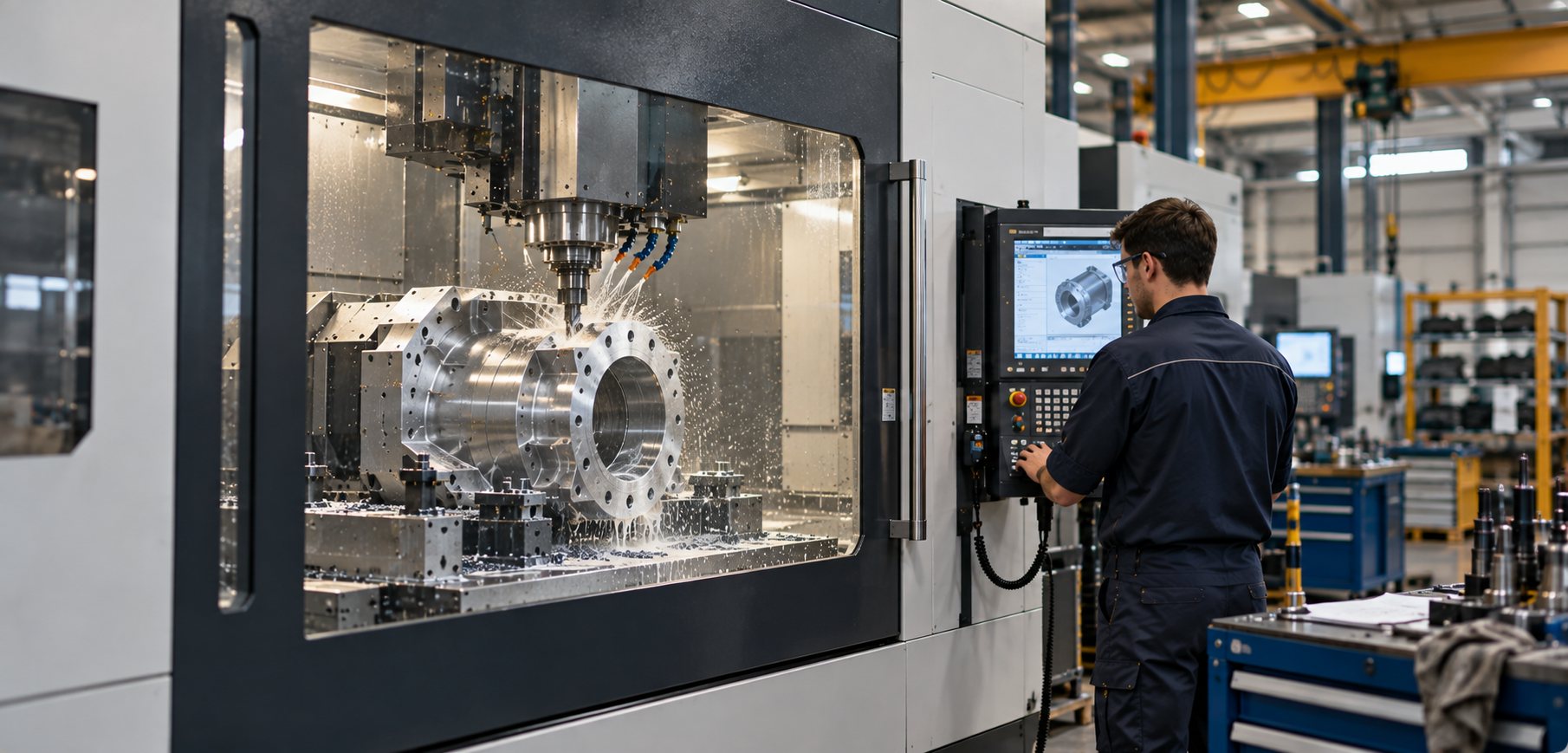
IT that works around production
Plants, OT-adjacent sites and multi-site operations put different pressure on their IT, from ERP access on the floor to vendor connections into production and failover across branches, so we set up and run each one around the way production runs.
Production operations
ERP · MES · Warehouse · DispatchManufacturers run on systems for planning, scheduling, production, quality, traceability, inventory and dispatch, usually spread across ERP, MES, warehouse platforms and Microsoft 365.
We look after everything those systems rely on: identity and device access, site networks, file storage, backup and the vendors behind each platform.
- Reliable access to ERP, MES, scheduling and warehouse systems
- Network reliability between office, warehouse and production areas
- Restores sequenced for ERP, MES, quality and traceability systems
- Endpoint and identity security for operations and administration teams
- Microsoft 365, Teams and SharePoint for operations and management
- Essential Eight-aligned controls and evidence for cyber insurers
- Vendor coordination across ERP, machinery, network and security providers
OT-adjacent environments
SCADA-adjacent · Segmentation · OEMsSome sites run systems close to operational technology: SCADA, machine controllers, equipment integrators and OEM support tools.
Engineering inside those systems stays with your OT engineers and equipment vendors. We run the IT side of the boundary: identity, remote access, firewall policy, segmentation, monitoring and backup, with the boundary documented so everyone knows who owns what. Changes on the boundary are agreed with your OT team and scheduled into production windows.
- IT-side controls around OT and SCADA-adjacent environments
- Firewall policy and network segmentation
- Named, MFA-protected, time-bounded and logged vendor access
- Isolation for machines running Windows versions the vendor won’t let you upgrade
- Backups for the IT systems that support production, including engineering workstations agreed with OT
- Passive monitoring that observes OT traffic without touching controllers
- Coordination with OT engineers, PLC specialists and SCADA vendors
Multi-site businesses
Plants · Warehouses · Field teamsIndustrial businesses often run across head office, plants, warehouses, workshops, branches and field teams, each with its own operating rhythm.
We give every location the same standard for sign-in, devices, security and connectivity, with failover where a site can’t afford to drop out and a restore plan for each site.
- SD-WAN and secure networking across every site
- Firewall standards and site-to-site connectivity
- Internet failover for sites that can’t stop
- One identity and device standard across locations
- Managed laptops, tablets and scanners for warehouse and field users
- Vendor access pathways across multiple sites
- Restore plans by site and business priority
Where IT ends and OT begins
Many incidents on an industrial site cross the line between corporate IT and operational technology. We document that line with you: what sits in each layer, who owns it and how the layers are allowed to connect.
Your OT engineers, equipment vendors and our team then work from one agreed picture, so it's clear who makes each change and who picks up each support call.
- 1Corporate ITERP, Microsoft 365, identity, laptops and office networksInlight IT
- 2Production-supporting systemsMES, scheduling, quality and warehouse serversInlight IT + vendor
- 3IT-OT boundaryFirewalls, segmentation, jump hosts and vendor remote accessShared, documented
- 4Supervisory systemsSCADA and HMI workstationsOT engineers
- 5Control and machinesPLCs, machine controllers and OEM equipmentOT and OEMs
- 1Identity and Microsoft 365Staff and supervisors can sign in, and email and Teams work1 hour
- 2ERP and its databaseOrders, stock and purchasing open2 hours
- 3MES, scheduling and quality systemsWork orders reach the floor and quality records save4 hours
- 4Warehouse and dispatchPicking runs and despatch labels print4 hours
- 5Reporting and file sharesProduction reports and drawings openSame day
The systems we look after day to day
We run the day-to-day IT across your plants, warehouses and offices, and fit the work around production.
Users and IT support
Office, warehouse and production staff raise requests in Microsoft Teams, and AI-assisted triage routes each one to the right engineer. A line or site that can’t work is a P1. Under our SLA-driven support model, the response target for a P1 incident is under 15 minutes.
Microsoft 365 and identity
One identity standard for office, site and field users, with MFA, Conditional Access and privileged access controls. Data loss prevention (DLP) is part of the setup, covering drawings, quotes, pricing and customer information in email, Teams and files.
Computers and devices
Office machines, production workstations, warehouse scanners, tablets and laptops are managed to one standard, with endpoint protection, encryption and patching scheduled around production windows.
Cloud, infrastructure and networks
Servers, storage, Azure and Azure Local for ERP and production systems, chosen for how each workload behaves. We moved PPK Mining Equipment off VMware onto Azure Local. SD-WAN, firewalls and failover connect plants, warehouses and offices, with production networks segmented from office traffic.
Backup and recovery
Immutable backups across Microsoft 365, ERP databases, production servers and file shares, with restores tested. Systems are restored in the order production needs them, with runbooks that match the way the site runs.
Vendors and OEM access
ERP providers, machinery OEMs, integrators and support partners get named accounts, MFA, time-bounded access and logged sessions. Shared VPN logins, always-on tunnels and stale accounts are removed, and we coordinate with each vendor.
Cybersecurity and production data
Identity, endpoint and email security, patching and privileged access are part of the service, with SOC and MDR where production can’t afford a slow response.
Copilot, AI and automation
We check who can open drawings, quotes and pricing before Copilot can surface them, reviewing SharePoint and Teams permissions before rollout. We also build AI agents and automation for production reporting, maintenance requests, quoting and document search, inside clear data boundaries.







See the outcomes we’ve delivered for our clients
Questions we get asked
How do you control vendor and OEM remote access without slowing equipment support?
How quickly does ERP need to come back after an incident?
Can our ERP move to the cloud?
Do you work with businesses that have OT, SCADA or industrial control systems?
Can you help with IT-OT segmentation?
Can Essential Eight apply in an industrial environment?
How should a manufacturer protect drawings, pricing and customer data?
What does the 72-hour ransomware payment report mean for us?
What reporting and reviews do we get?
How much does Managed IT cost for a manufacturer?
How does onboarding work for a manufacturer?
How do you protect machines still running old versions of Windows?
Will security monitoring interfere with production?
Explore the services we provide
We support offices, plants, warehouses and field teams as one environment.
ERP · MES · warehouse systems at the IT layerExplore Managed IT →Security that works around production windows and legacy equipment.
Essential Eight alignment · cyber insurance evidenceExplore Cybersecurity →We connect plants, warehouses, offices and field users on one network.
Fortinet and Cisco Meraki capabilityExplore Networks & SD-WAN →We run servers, storage and cloud around production dependencies.
Azure · Azure Local · hybrid industrial systemsExplore Infrastructure & Cloud →We automate production reporting, maintenance and quoting work.
Copilot deployment · Power Platform · governed AIExplore AI & Automation →We source and deploy the hardware and licences your sites run on.
Rugged devices · site networking · licensingExplore Technology Procurement →Secure the line between IT and OT
We’ll map how production systems, vendors and site networks connect, and agree where segmentation, vendor access and recovery need strengthening.
Discuss Managed ITCalculate Managed IT costPrefer email? contact@inlightit.com.au